

This method of viewing sensitive card information on the mobile/web application is Payment Card Industry Data Security Standard (PCI DSS) compliant.
View Card Data | Workflow
- A cardholder completes Strong Customer Authentication (SCA) and initiates a request in the mobile/web application to view card data.
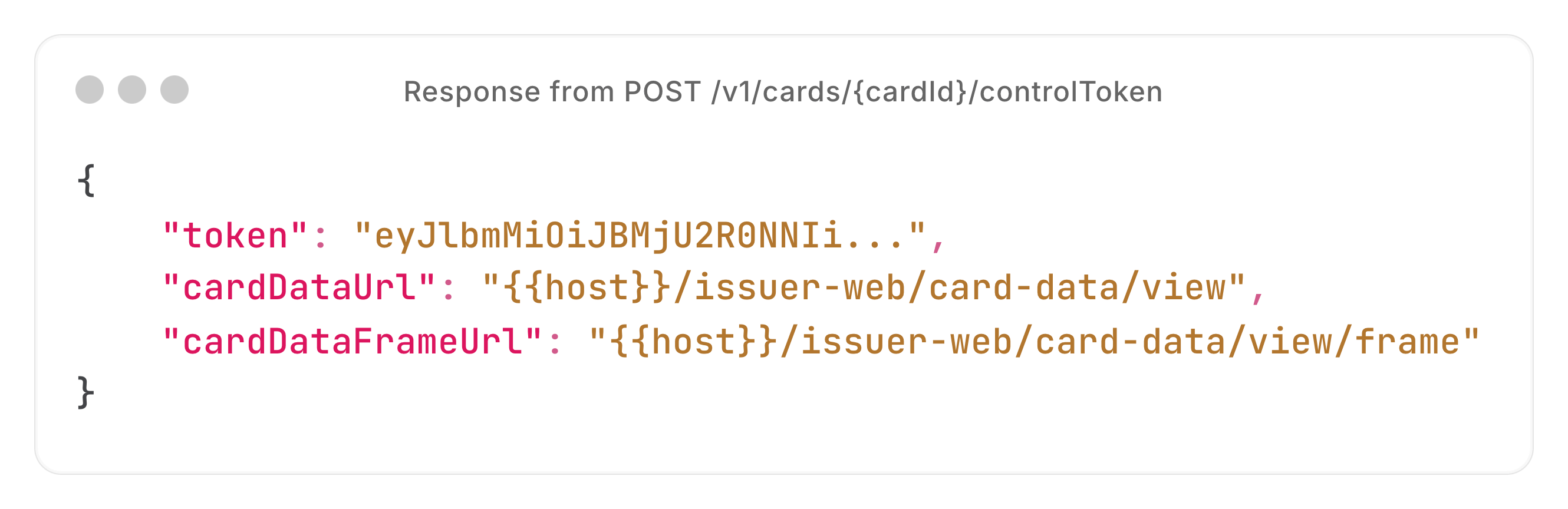
- Your system sends an API request to Enfuce to generate a unique access token and two URLs — one is for viewing card details on the mobile device and another URL is for viewing the data on web.
Related endpoint: Initiate Card Data Retrieval.
We do not perform any additional validation, except verifying the card ID. Hence, if the card ID is invalid, the request fails. If you want to check whether the card is eligible for payments, you must send additional API requests to verify the card status and balance.
- In the endpoint response, a unique access token and two URLs are returned —
cardDataURLfor viewing card details on the mobile device andcardDataFrameUrlis for viewing the data on web.
- The cardholder accesses either the
cardDataURLor thecardDataFrameUrlURL, based on where they are viewing the card information.
The token is valid for 30 seconds. The cardholder must access the appropriate URL within these 30 seconds to retrieve the HTML snapshot.
- Another API request is sent to retrieve the card data in an HTML snapshot.
- Mobile applications: A
POSTAPI request is sent to thecardDataUrl, including the token previously returned. - Web applications: The browser opens iframe to
cardDataFrameUrl. Then the parent page sends awindow.postMessage()to the iframe. The posted message object includes aview-panoperation parameter and the token previously returned.